Can't connect to rainbow cause of my self-signed certificat
Beantwortet
Hello guys,
I have a proxy server with a self-signed certificat to redirect the people who are on my network.
Everything work except Rainbow, i can't login in rainbow apps and its the same result for the web login.
I didnt block anything about rainbow and my ports are open
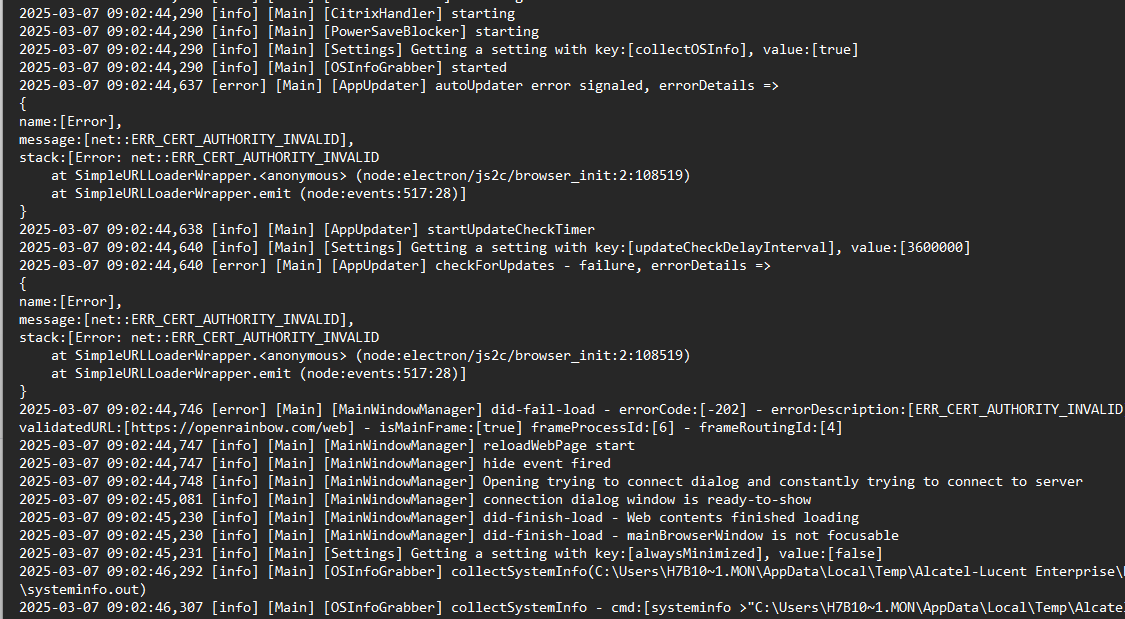
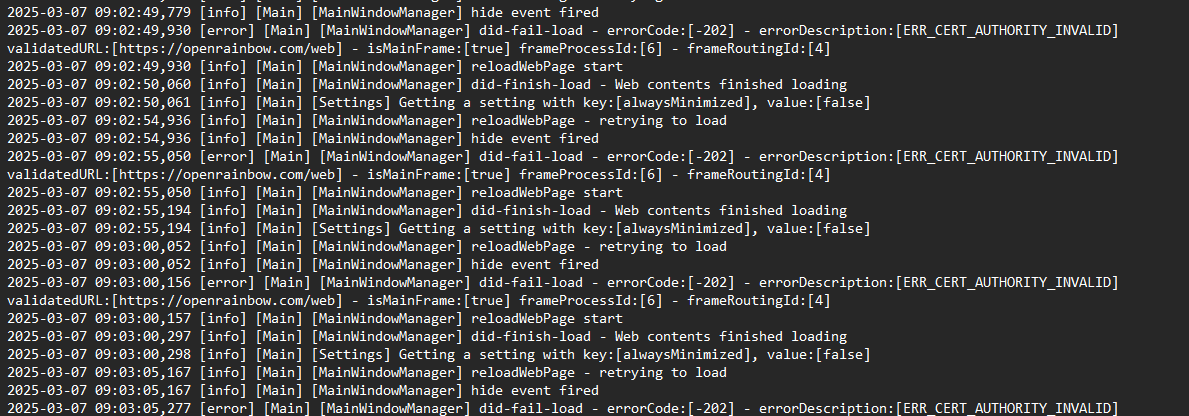
I find the text with the rainbow logs inside and they said it's because of the certificates that I can't log in.
The only solution right now for me is to disable my proxy temporarily to make rainbow work.
Can you try to help me? ( sorry for the bad English)
-
Offizieller Kommentar

Hi Hugo,
If you can't access a website because of your self-signed proxy certificate, it's probably because your browser or system doesn't recognize it as trusted. Here's how you may fix that:
Import the Self-Signed Certificate as Trusted
To make your PC trust the proxy's certificate:
- On Windows:
- Open certmgr.msc
- Go to Trusted Root Certification Authorities → Certificates
- Right-click → All Tasks → Import
- Select your proxy’s certificate and complete the wizardYou might need to do this on every PC where you use Rainbow.
I'm not an expert in this area, so if this doesn't fix the problem, please reach out to your ALE Rainbow reseller. They can open a support ticket to get help from a specialist for a more detailed analysis.
Regards,
Baptiste
Rainbow Customer Care TeamAktionen für Kommentare -

Hello Hugo,
We understand that you are using a proxy server and that everything is functioning correctly except for the Rainbow application. For detailed guidance on configuring proxy and firewall settings, please refer to the link below.
https://help.openrainbow.com/hc/en-us/articles/23942019777170-Check-Rainbow-Network-Requirements?from=articleIf you have any further questions, feel free to submit a service request at support@openrainbow.com, and we’ll be happy to assist you.
Thanks & Regards,
Fazal (Rainbow TAC)
Bitte melden Sie sich an, um einen Kommentar zu hinterlassen.
Kommentare
2 Kommentare